Appearance
Not Includes
The not includes rule is used to verify that a given value does not contain a specified substring.
Options
To use the not includes rule, specify the substring to look for within the main string. This can be either a static value or a dynamic field from the product.
Case Sensitivity
By default, the rule is case-insensitive, meaning apple and Apple are considered identical. To enforce case sensitivity, enable the caseSensitive option.
Regex
Regular expressions can also be employed for more complex checks, offering a flexible set of options.
Examples
Basic Usage
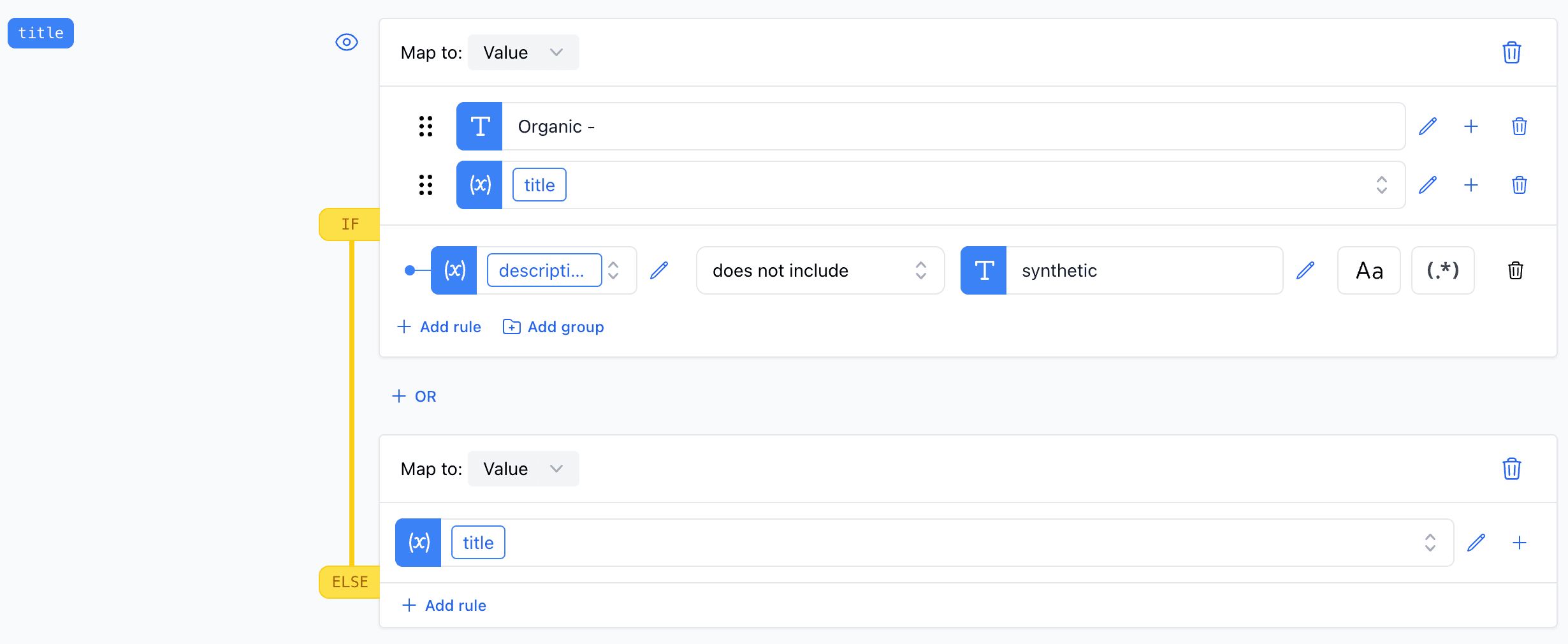
In this example, we confirm that the product description does not include the term "synthetic". This is useful for organic product categorization.
Regex
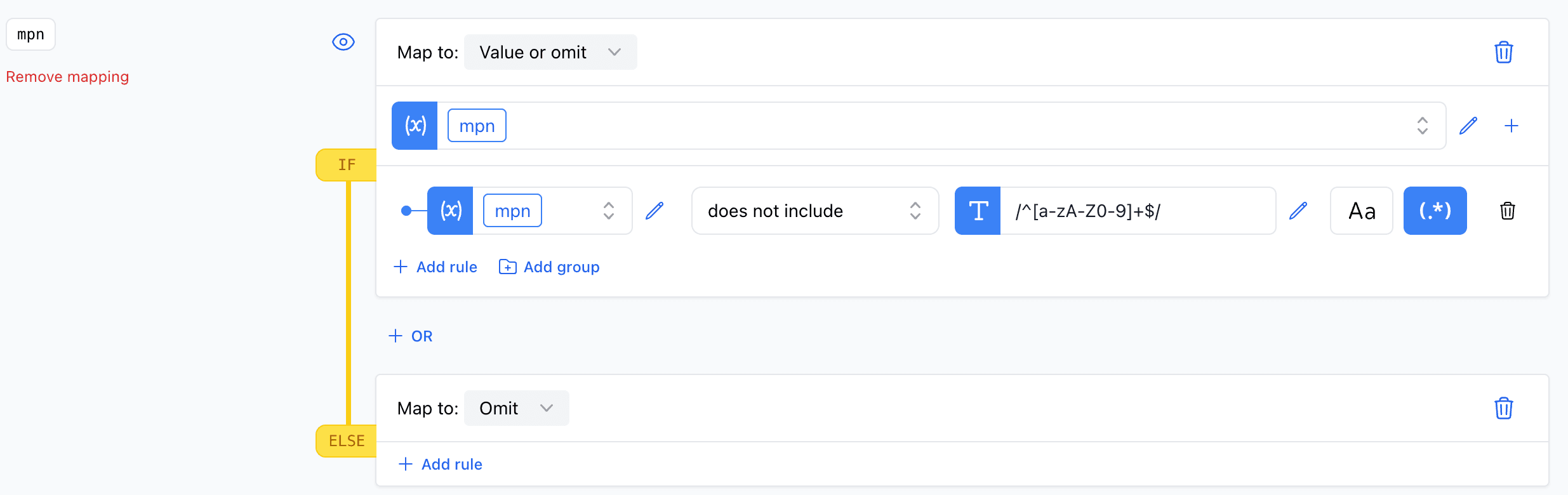
Here, we utilize a regular expression to ensure that the product MPN does not contain any special characters, thereby maintaining its validity.