Appearance
Remove Mutation
The Remove mutation allows you to eliminate specific portions of a value in a product field. This is useful for cleaning up your data or focusing on essential details.
Options
- Value to Remove: Specifies the value or character sequence to remove from the field.
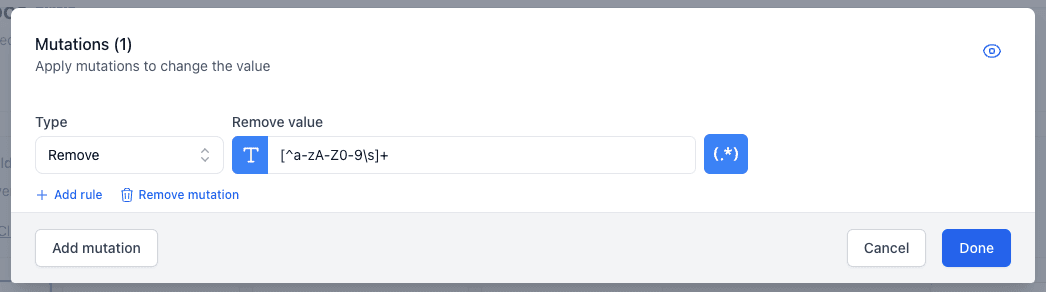
- Regex: Use a regular expression to specify complex patterns to remove.
Examples
Removing Unnecessary Text
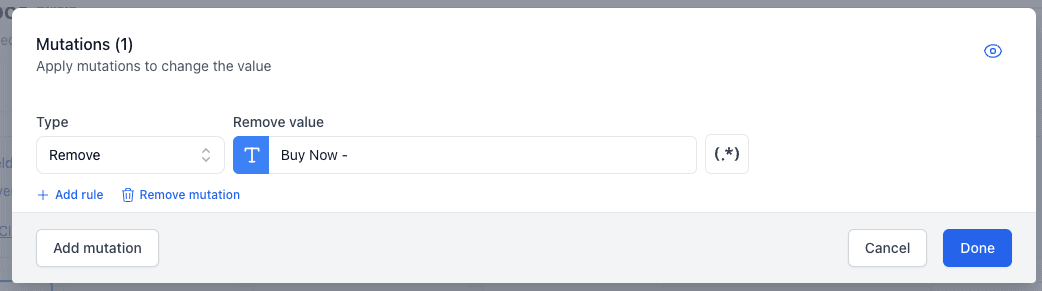
Let's say some of your product titles have the unnecessary text "Buy Now -". You can use the Remove mutation to clean this up.
Using Regex to Remove Special Characters
If your product descriptions include special characters that you want to remove, you can use a regular expression to target them.