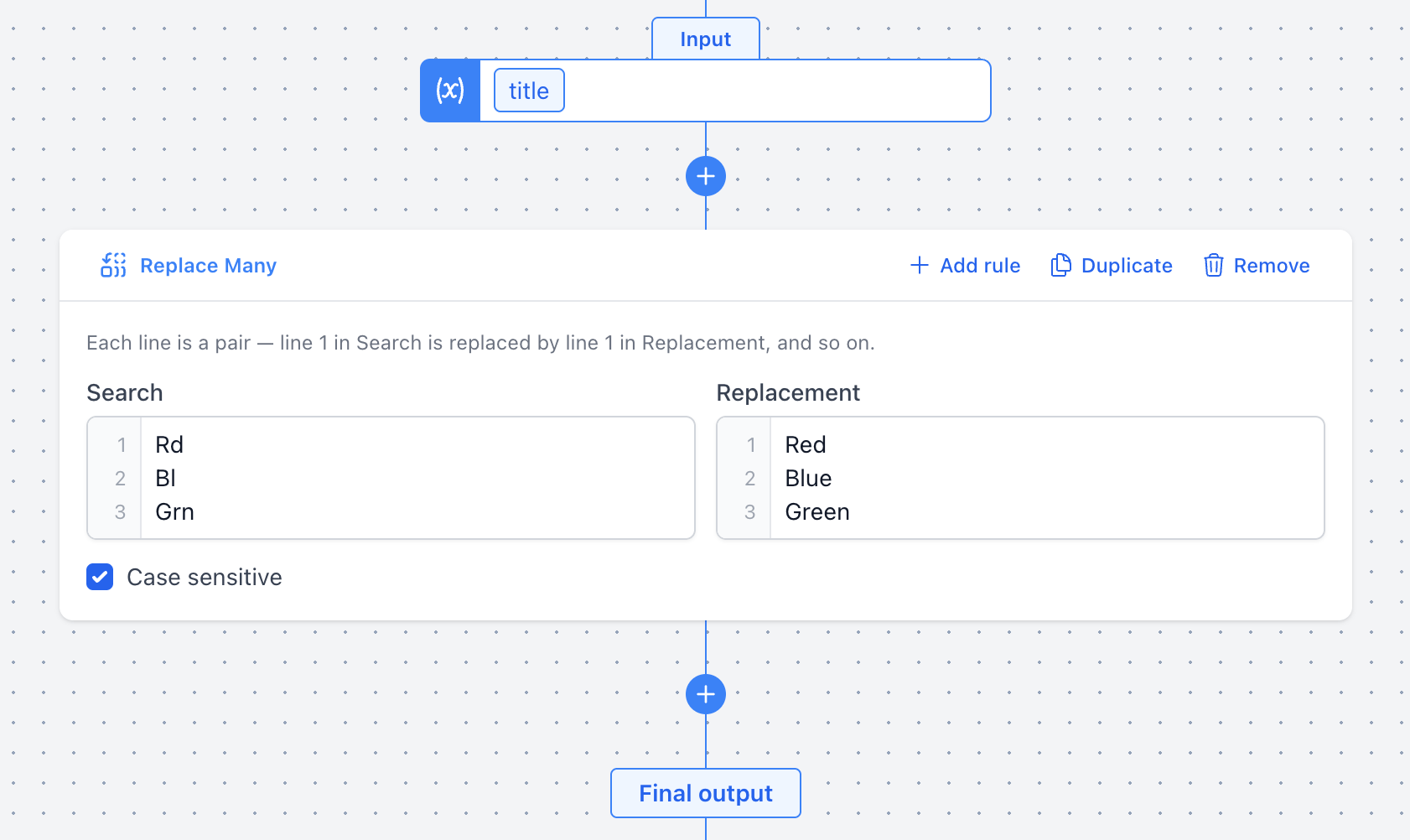
Replace Many Mutation
The Replace Many mutation lets you define a list of search and replacement pairs that are applied sequentially to a value. This is useful when you need to standardize or correct multiple substrings in a single step, rather than chaining several individual Replace mutations.
Options
- Search / Replacement pairs: A table of pairs where each row specifies a substring to find (Search) and what to replace it with (Replacement). Pairs are applied in order from top to bottom. Leave the Replacement field empty to effectively remove the matched text.
- Case sensitive: When checked (default), matching is case-sensitive. Uncheck to match regardless of casing — e.g. searching for "red" will also match "Red" and "RED".
Example
Suppose your product titles contain various abbreviated color names that you want to expand. You can use Replace Many to correct all of them in one mutation — replacing "Rd" with "Red", "Bl" with "Blue", and "Grn" with "Green".