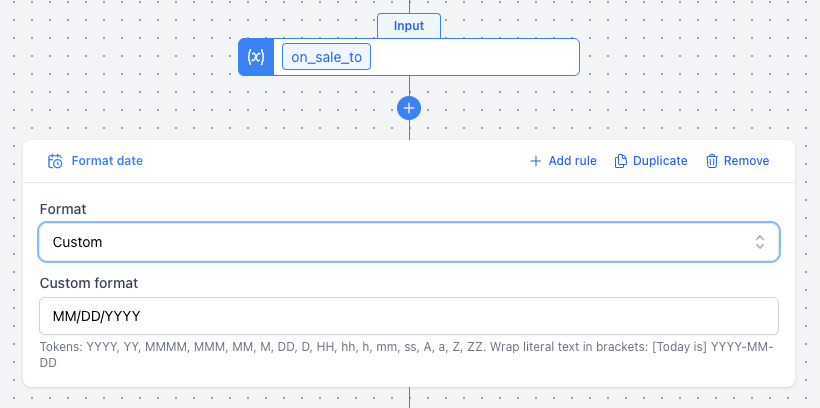
Format Date Mutation
The Format Date mutation allows you to format a date value into a specific string representation. It accepts dates, Unix timestamps, and date strings, and returns a formatted string. This is useful for ensuring dates in your product feed match the required format for different advertising channels.
If the input value cannot be parsed as a date, the mutation will return no value.
Options
- Format: The format to apply to the date. Choose from a preset or select "Custom" to enter your own token string.
Presets
| Preset | Example output | Token string |
|---|---|---|
| ISO 8601 | 2026-03-18T14:05:09+0000 | YYYY-MM-DDTHH:mm:ssZ |
| Date (ISO) | 2026-03-18 | YYYY-MM-DD |
| Date (US) | 03/18/2026 | MM/DD/YYYY |
| Date (EU) | 18/03/2026 | DD/MM/YYYY |
| Date & time (US) | 03/18/2026 02:05 PM | MM/DD/YYYY hh:mm A |
| Date & time (EU) | 18/03/2026 14:05 | DD/MM/YYYY HH:mm |
| Unix timestamp | 1742306709 | X |
| Unix timestamp (ms) | 1742306709000 | x |
| RFC 2822 | Wed, 18 Mar 2026 14:05:09 +0000 | ddd, DD MMM YYYY HH:mm:ss Z |
| Custom | (your own format) | (any token combination) |
Custom Format Tokens
When using the "Custom" option, you can combine the following tokens:
| Token | Meaning | Example |
|---|---|---|
YYYY | 4-digit year | 2026 |
YY | 2-digit year | 26 |
MMMM | Full month name | March |
MMM | Abbreviated month | Mar |
MM | Zero-padded month | 03 |
M | Month without padding | 3 |
dddd | Full weekday name | Wednesday |
ddd | Abbreviated weekday | Wed |
DD | Zero-padded day | 18 |
D | Day without padding | 18 |
HH | 24-hour hour | 14 |
hh | 12-hour hour padded | 02 |
h | 12-hour hour | 2 |
mm | Minutes | 05 |
ss | Seconds | 09 |
A | AM/PM uppercase | PM |
a | am/pm lowercase | pm |
ZZ | Timezone offset with colon | +00:00 |
Z | Timezone offset | +0000 |
X | Unix timestamp (seconds) | 1742306709 |
x | Unix timestamp (milliseconds) | 1742306709000 |
X and x are special tokens that cannot be combined with other tokens. If used, the entire format string must be just X or x.
Literal text
Wrap any text in square brackets to include it verbatim in the output without token substitution:
[Today is] dddd, MMMM DD YYYY, h:mm:ss a
→ Today is Wednesday, March 18 2026, 2:05:09 pm
Example
Formatting a product's on_sale_to as MM/DD/YYYY.